
Creating a Post
Posts are intended to be latest news, upcoming events, and general short form content to get out to staff. While a page and a post are essentially the same as far as wordpress is concerned, posts will show up in a timeline on a certain day and as new posts are added it will gradually move down the list of stories over time. If you want to have a place that is in the main navigation or is something that is a permanent item in the same location for a season or more, then creating a page makes more sense.
Creating a post
- Start by selecting New -> Post
- Title – Add a title.
- Type or paste in content. Use paste as plain text to make sure there is no wonky formatting from word doc, email content, etc.
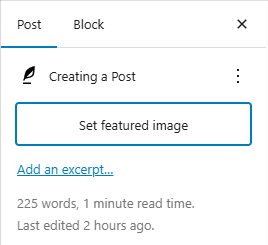
- Featured Image – Add a featured image that will show up as the main image in the header area and as the featured image in the post catalog.
Before Publishing
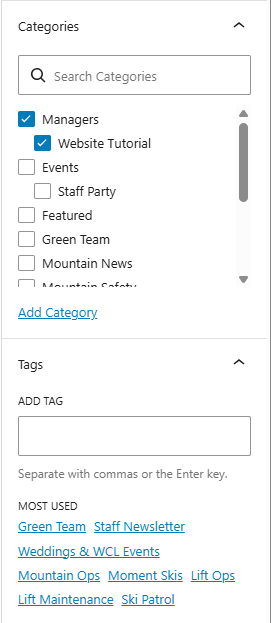
- Set the category and Access – Staff Party, News, Green Team Story. All these are searchable and sortable so be sure to add a category. IF you want it to only be viewed by managers, be sure to only select the managers Category or any child categories to the mangers. Failure to do so may show it to all staff.
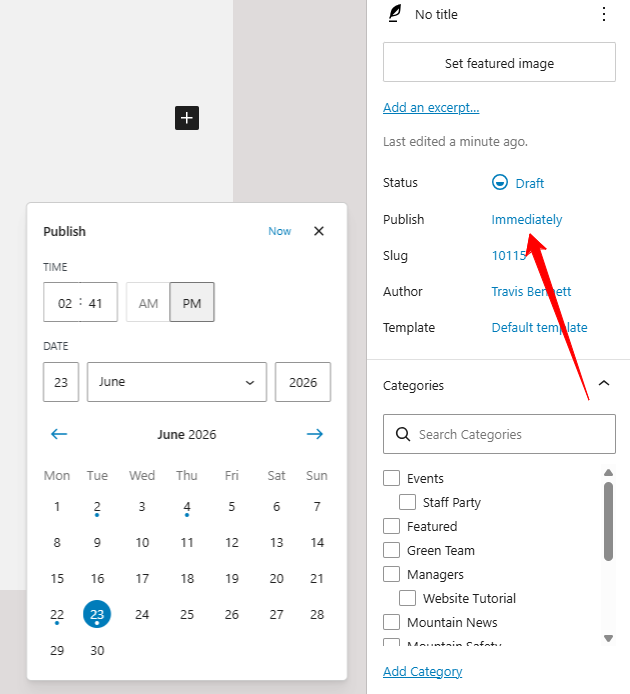
Scheduling a Post
You can schedule a post for the future by changing the publish setting to a future date and time. When you change the date to a future time the Save/Publish button will now say Schedule.